How to Accept Contactless Payments (2026 Guide, No Reader)

Read the summary of this content
- JIM turns your iPhone (iOS 17+) into a contactless payment terminal with no extra hardware, using NFC tech to accept cards, Apple Pay, or Google Pay.
- Setup requires only the JIM app and quick registration; payments are processed instantly with a flat 1.99% fee and no hidden or monthly charges.
- Tap to Pay speeds up checkout, improves cash flow, lowers costs, and boosts professionalism — ideal for freelancers, market vendors, service providers, and mobile businesses.
Knowing how to accept contactless payments is no longer optional. Whether you run a brick-and-mortar shop, sell at a market, or meet clients on the go, taking a tap can boost sales, simplify operations, and keep you competitive. Roughly two-thirds of consumers say they would switch to a new store that installed contactless payment options, according to the Visa Back to Business Study.
This guide covers how contactless payments work, what they cost, the benefits of Tap to Pay, and which businesses benefit most, so you can start accepting them without extra hardware.
How to accept contactless payments?
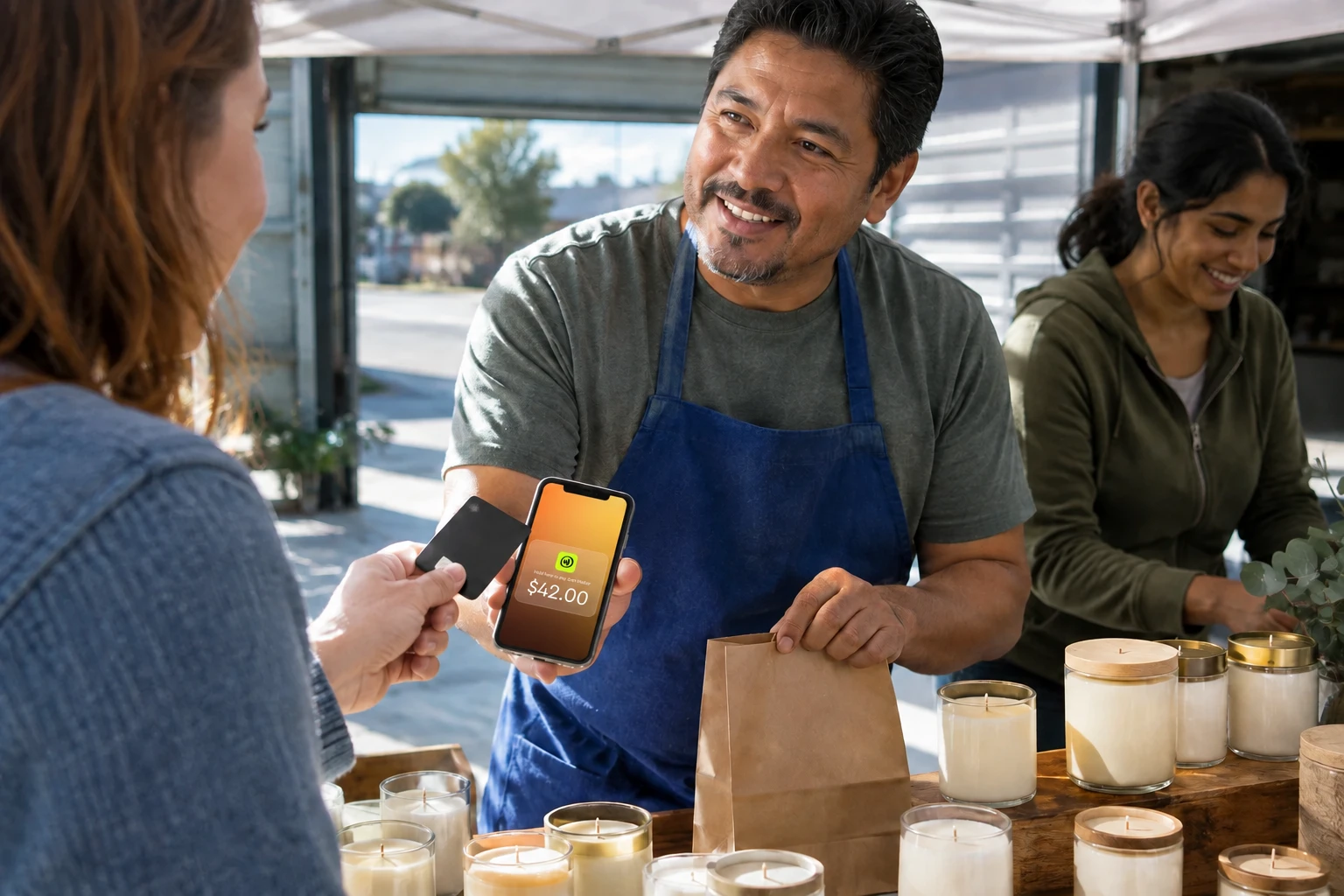
You can accept contactless payments in seconds¹ using JIM, an app that turns your iPhone into a full payment terminal, with no card reader, dongle, or extra device required.
Once installed, JIM receives contactless payments from cards, Apple Pay, or Google Pay, using your iPhone's built-in near-field communication, or NFC, the technology that lets two devices exchange data over a short distance. Tap to Pay on iPhone requires an iPhone Xs or later, per Apple's documentation.
To get started, all you need is:
- An iPhone Xs or later running iOS 17 or above
- The JIM app (available on the App Store)
- A quick registration to verify your seller profile
Once that is set, your customers can pay in seconds, whether they are tapping a card or using their smartphone or smartwatch.
JIM is built for in-person contactless payments. If you also sell remotely, other payment methods to consider include:
- Payment links shared via email or text messages
- Checkout pages embedded in your website or social media
- QR codes customers can scan to pay
- Digital invoices with built-in card payment options
These are especially useful for ecommerce, coaching, or remote consulting, but they usually require more setup and a web-based platform.
How much does it cost to accept payments using a phone?
Contactless payment costs typically range from 1.99% to 3.5% per transaction, plus optional hardware that can run from $0 to several hundred dollars, and monthly fees from $0 to around $60. The exact number depends on your provider, how you accept payments, and whether you buy hardware.
Here are the most common types of fees to look out for:
- Transaction fees: A percentage taken from each sale. It applies whether you accept payments through cards, digital wallets, or tap-to-pay methods, and is the core cost for most payment platforms.
- Hardware costs: Some providers require a physical card reader or payment terminal to process contactless transactions. These can be one-time purchases or rentals, and may cost anywhere from $30 to several hundred dollars.
- Monthly fees: In some cases, you pay a flat monthly rate to use the service. These fees often unlock additional features like analytics, CRM tools, or integrations, but can burden smaller operations that do not need advanced capabilities.
- Chargeback or service fees: If a customer disputes a transaction, some platforms charge an extra fee to handle it. There may also be added costs for tools like recurring billing, online invoicing, or POS system upgrades.
For small businesses, freelancers, and on-the-go sellers, these expenses can make it harder to get started or eat into already slim margins. Choosing a platform with simple, transparent pricing matters.
One example is JIM, which charges a flat 1.99% per transaction, with no monthly fees, no hardware to buy, and no hidden costs (fees last updated 12/24).
You do not need a terminal, just an iPhone and the JIM app. Since your earnings become available in seconds after each approved sale, there is no waiting period to access your funds¹.
If you want to accept payments without complexity or commitment, JIM offers a straightforward and budget-friendly path forward.
What are the benefits of using Tap to Pay?
Tap to Pay offers faster checkouts, instant fund access, lower hardware costs, and mobility. It combines speed, simplicity, and flexibility in a way that improves both the seller and customer experience, whether you are at a storefront, a pop-up event, or meeting clients face-to-face.
Faster checkouts
Tap to Pay transactions take just seconds. Customers do not need to insert a card, type a PIN, or count cash. They hold their card or device near your phone and the payment is done.
That means shorter lines, smoother service, and a more modern buying experience.
Better cash flow
Unlike traditional payment systems that may take days to settle funds, Tap to Pay options, especially mobile-first solutions, often release funds in seconds after approval.
This helps businesses maintain a healthier, more predictable cash flow.
Professional and contactless
Roughly two-thirds of consumers say they would switch to a new store that installed contactless payment options, according to the Visa Back to Business Study. Offering a tap from a smartwatch or a phone using Apple Pay or Google Pay shows your business is up to date and makes customers feel more comfortable, especially in fast-paced or high-touch environments.
Lower setup costs
Tap to Pay often eliminates the need for bulky or expensive hardware.
Some systems still require a card reader, but many, like JIM, work directly from your mobile device, reducing your upfront investment and simplifying your toolkit.
Flexible and mobile
Because Tap to Pay works anywhere there is a connection and an NFC-enabled device, it is ideal for businesses on the go.
Whether you are at a market, a client's home, or a coworking space, you do not need to be tied to a traditional checkout counter.
Is Tap to Pay on iPhone safe?
Yes. Tap to Pay on iPhone is a PCI MPoC validated solution on iPhones running iOS 18.4 or later, certified against the Payment Card Industry Security Standards Council's Mobile Payments on COTS standard. Apple does not store card numbers on its servers, and the technology uses the iPhone's Secure Element, a certified chip that isolates payment data from the rest of the operating system, with a transaction-specific dynamic security code for every sale. JIM runs on top of this infrastructure, so every contactless payment you accept is protected by the same tokenization and encryption that secures Apple Pay.
With JIM, all of these benefits come built in. You do not need extra equipment or complex systems, just your iPhone and the app.
Every transaction is processed securely, your money is available in seconds¹ after the sale is approved, and you only pay a flat 1.99% fee.
It is a fast, affordable way to run your business from anywhere.
Which types of business should accept contactless payments?
Contactless payments are not just for big retail chains or trendy cafés. They are a must-have for small businesses and independent professionals across a wide range of industries.
If your work involves meeting customers face-to-face or moving around often, accepting contactless payments can streamline how you get paid and make your business look more professional. Visa reports that tap-to-pay penetration reached 65% globally at the end of 2023, up two times from 2019, so the customers you serve already expect the option.
Here are some of the most common business types that benefit from accepting contactless payments:
Creators and freelancers
Artists, designers, photographers, writers, and coaches often meet clients in-person or at events.
Instead of sending invoices or waiting on bank transfers, you can get paid immediately using just your phone, with no terminals or apps for your client to install.
Market vendors and pop-up sellers
Whether you sell food, crafts, clothing, or vintage items at a local fair or market, Tap to Pay lets you take payments anywhere, with no cables, no cash box, and no POS system required.
It speeds up your checkout and gives customers a frictionless way to pay.
Home service providers
Plumbers, electricians, cleaners, personal trainers, and pet groomers often perform services at the client's home or office. Accepting contactless payments on the spot removes the need for cash or delayed payments and shows you run a modern, reliable business.
Beauty and wellness professionals
Hair stylists, nail technicians, massage therapists, and estheticians often operate in studios or shared spaces. With Tap to Pay, you can complete the service and accept payment right away, all from your own device.
Consultants and independent contractors
If you provide consulting, tutoring, or freelance work and meet clients in person, offering contactless payment options helps you close the loop faster.
You get paid on the spot, and your client gets a seamless experience.
Any business that values mobility, speed, and simplicity can benefit from Tap to Pay. A market vendor who once lost sales to "cash only" signs can recover them the day they switch to a tap. A pet groomer who chased invoices for weeks can close out each visit on the spot.
With JIM, getting started is easy. You just need your iPhone. It is the ideal choice for professionals who want to stay lean, look professional, and never miss a payment.
Is Tap to Pay right for your business?
Accepting contactless payments does not have to be complicated or expensive.
Whether you are a creator, freelancer, market vendor, or service provider, you can start taking fast, secure payments right from your iPhone, without buying extra hardware or waiting days to get paid.
With JIM, setup takes just a few minutes, and every sale goes straight to your balance instantly. You get all the benefits of Tap to Pay, backed by a flat 1.99% fee and no hidden costs.
Turn your iPhone into a payment terminal today.
Download JIM and start accepting contactless payments.
¹ Instant availability means funds appear on your JIM Visa Prepaid Card in seconds after a sale is approved. The JIM Card is a virtual Visa Prepaid Card issued by Lead Bank, Member FDIC. Funds held in the JIM Card account are FDIC insured up to $250,000 if deposit insurance requirements are met. Instant settlement is subject to JIM's terms; see jim.com for details.
Frequently Asked Questions
How do I accept payment through NFC?
Do all contactless accept Apple Pay?
How do I accept Apple Pay tap?



Sell and get paid in seconds with Jim






