Payment Methods for Small Businesses: Costs, Fees, and Setup (2026)

A Brooklyn coffee shop turned away 12 customers in a single week when its card reader broke and it could only accept cash. Six of those customers never came back. That is what limited payment acceptance costs in real dollars, not hypothetical walkaway moments.
Late payments cost US small businesses an average of $17,500 per year in outstanding invoices, according to Intuit QuickBooks' 2025 Small Business Late Payments Report, and payment method limitations contribute directly to this problem. US merchants paid a record $172.05 billion in processing fees in 2023 to accept $11.24 trillion in card purchase volume, per the Nilson Report. The right payment methods for your small business reduce transaction costs, speed up cash flow, and prevent the sales you lose when a customer cannot pay the way they want.
Why Do Payment Options Matter for Small Businesses?
Payment options matter because they determine whether customers complete purchases, how fast you get paid, and how much you spend on fees. The methods you accept directly influence checkout conversion, settlement speed, and the hours you spend on manual reconciliation.
Customers who encounter friction at checkout often abandon purchases or spend less than intended, but the financial impact extends beyond lost sales. Visa's 2018 Digital Transformation of SMBs study found that digital payments cost 57% less to process than non-digital alternatives when you factor in cash handling, bank deposits, and manual bookkeeping. Electronic payments also provide automatic records that integrate with accounting software, reducing reconciliation time and improving cash flow visibility.
Accepting multiple payment methods increases customer satisfaction and repeat business. When you accept credit card payments alongside other options, you remove barriers that might otherwise cost you sales.
9 Payment Methods Every Small Business Should Consider
Merchants and small business owners have more payment options than ever before. Each method carries distinct advantages in cost, speed, and customer experience. The best payment methods for your operation depend on your business model, customer base, and transaction patterns.
1. Credit and Debit Card Payments
Cards account for 79% of all US noncash payments by volume, according to the Federal Reserve Payments Study, which tracked 236.6 billion noncash payments in 2024. Customers carry them, trust them, and increasingly prefer contactless versions over cash.
Credit cards and debit cards support contactless tap-to-pay, chip (EMV), and swipe transactions
Processing fees typically range from 2.6% to 3.5% plus $0.10 to $0.30 per transaction, covering interchange fees paid to card networks like Visa and Mastercard plus your payment processor's markup
Chargeback risk exists but stays manageable with proper payment systems; card networks set base chargeback fees that typically run $15 to $25 per incident before processor markups
In-person card payments require a POS system or card reader; online transactions need a payment gateway
Card transactions provide automatic records for bookkeeping and tax purposes
Best for: Any business with in-person or online sales where card acceptance is the baseline customer expectation
2. Digital Wallets and Mobile Payments
A digital wallet stores card information on a phone or wearable and transmits payment data through near-field communication, or NFC, the same short-range radio technology behind contactless cards. Customers under 40 especially expect merchants to accept Apple Pay, Google Pay, and Samsung Pay, and a wallet transaction settles at the same speed as a contactless card tap.
Apple Pay, Google Pay, and Samsung Pay enable tap-to-phone transactions using NFC technology
Tokenization provides stronger security than physical cards by replacing card numbers with one-time codes
Processing fees match standard card rates in the 2.6% to 3.5% range
Adoption continues growing, particularly among customers under 40
Requires an NFC-enabled terminal or a modern POS system to process contactless payments
Best for: Mobile sellers, shops with younger customer demographics, quick-service environments
Explore how to accept contactless payments at your location.
3. Online Payment Gateways
A payment gateway is the software layer that securely captures and transmits card data from your website to the payment processor. For ecommerce and remote transactions, it serves as the critical infrastructure connecting your online store to payment processing networks.
Payment gateways securely capture and transmit card information for online transactions
Most gateways support multiple payment methods, including cards, digital wallets, and bank transfers, through a single integration
Setup options include plug-and-play solutions for simplicity or API-driven integrations for merchants needing customization on e-commerce platforms
Popular payment service providers offer gateway functionality with typical fees around 2.9% plus $0.30 per transaction, with some charging monthly fees of $10 to $30
Fraud protection features, like 3D Secure, AVS, and velocity checks, protect against unauthorized online transactions
Best for: Online stores, service providers with web presence, subscription models
4. ACH and Bank Transfers
The Automated Clearing House, or ACH, network moves money directly between bank accounts at significantly lower cost than card payments. NACHA, the organization that governs the ACH network, sets the operating rules that all participating banks and processors must follow.
ACH transfers funds from a customer's bank account to your business account without card network involvement
Processing fees drop substantially: typically 0.5% to 1.5% or flat fees of $0.25 to $1.00 per transaction
Settlement takes 1 to 3 business days compared to instant card authorization
Ideal for recurring payments, invoice collection, and B2B transactions
ACH returns incur fees of $2 to $5; excessive returns trigger NACHA enforcement when unauthorized return rates exceed the 0.5% threshold or overall return rates exceed 15%
Best for: Subscription services, high-ticket purchases, B2B payments, one-time large transactions
5. Payment Links and Invoicing
Merchants without physical storefronts or traditional checkout flows find that payment links offer flexibility without requiring a full ecommerce setup.
Send payment links via email, SMS, or messaging apps for customers to pay through their browser
No website needed; customers click the link and complete checkout directly
Most payment link services support multiple payment methods through a single link
Fees typically match standard card processing rates from your payment provider
Scheduling features enable due dates, partial payments, and automated reminders to reduce late payments
Helps automate invoice collection and streamline accounts receivable
Best for: Service providers, mobile sellers, B2B invoicing, field services
6. Cash and Check Payments
Traditional payment methods still serve specific customer segments and business types despite declining overall usage.
Cash eliminates processing fees but creates security risks, theft exposure, and manual tracking requirements
Checks remain common for B2B transactions and older demographics
Both types of payment require manual reconciliation and increase accounting workload
Digital alternatives like eChecks can streamline check processing through electronic conversion
In-store cash handling policies and bad check procedures become necessary to manage risk
Best for: Shops serving cash-preferred customers, certain industries, local service providers
7. Tap to Pay on iPhone Solutions
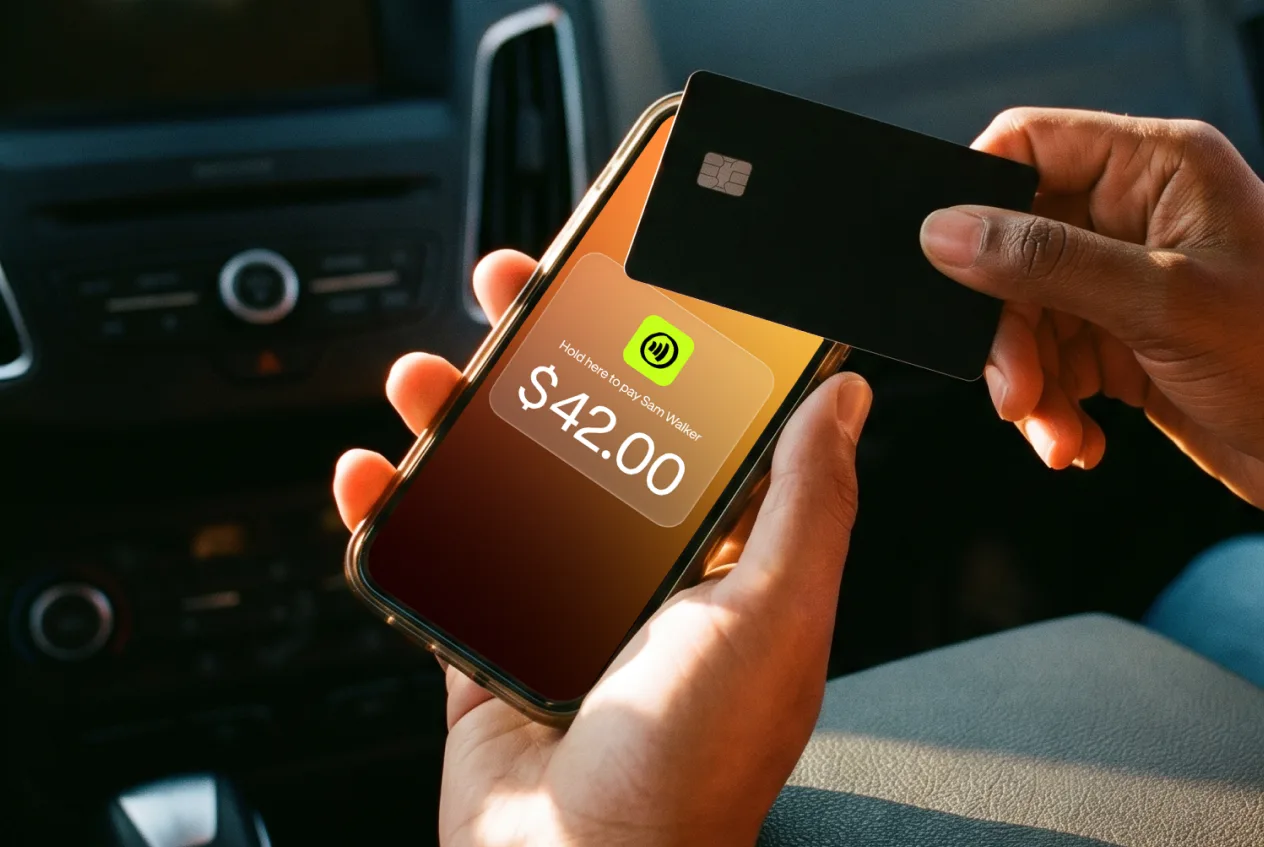
Tap to Pay on iPhone is an Apple technology that lets an iPhone accept contactless payments through its built-in NFC chip, with no external card reader or terminal required. It eliminates the hardware barrier that traditionally blocked independent sellers and local merchants from accepting cards.
Tap to Pay on iPhone technology turns your phone into a contactless payment terminal
Accepts all major cards, Apple Pay, Google Pay, and any contactless payment without additional equipment
JIM offers this capability with a flat 1.99% fee and no monthly fees, setup costs, or hidden fees
Instant fund availability on your prepaid card removes the typical 1 to 3 day settlement wait
Works on iPhone iOS 16 and later with no card reader or hardware purchase required
An all-in-one payment platform that is significantly simpler than traditional POS systems for mobile POS needs
Best for: Mobile vendors, service providers, pop-up shops, anyone prioritizing ease of use and in-person payments
8. Buy Now, Pay Later (BNPL)
Buy now, pay later services let customers split a purchase into fixed installments, often four biweekly payments with no interest. Providers like Affirm, Klarna, and Afterpay pay the merchant upfront and assume the customer's repayment risk.
BNPL providers charge merchants 2% to 8% per transaction, higher than standard card processing fees
Merchants receive full payment upfront, typically within 1 to 2 business days
Providers report that average order values rise when BNPL is offered at checkout, though the lift varies by merchant and category
Setup requires integration through a payment gateway or BNPL provider's API
Best for: Ecommerce stores, higher-ticket retail, businesses targeting millennial and Gen Z customers
9. QR Code Payments
QR code payments let customers scan a static or dynamic code with their phone camera to open a payment page in their browser, with no app download required. The merchant generates a QR code linked to a payment amount or a checkout URL.
No hardware required; generate codes from a payment dashboard and display them on a screen, printout, or receipt
Processing fees match standard card-not-present rates, typically 2.5% to 3.5%
Settlement takes 1 to 2 business days, same as standard online card payments
Works for both one-time payments and recurring billing through dynamic QR codes
Best for: Restaurants, service providers, businesses that want contactless payment without NFC hardware
Payment Methods Comparison: Costs and Features at a Glance
Understanding the total cost of each payment method helps you make informed decisions. This comparison covers the primary factors affecting your bottom line.
| Payment Method | Processing Cost | Settlement Time | Best For | Setup Complexity |
|---|---|---|---|---|
| Credit/Debit Cards | 2.6% to 3.5% + $0.10 to $0.30 | Instant auth, 1 to 2 day settle | Universal acceptance | Medium |
| Digital Wallets | Same as cards | Instant | Mobile-first businesses | Medium (NFC required) |
| Payment Gateways | 2.9% + $0.30 typical + monthly | Instant | Ecommerce | Low to High |
| ACH Transfers | 0.5% to 1.5% or $0.25 to $1.00 flat | 1 to 3 business days | Large and recurring payments | Low |
| Payment Links | Matches card rates | Instant to 1 day | Service businesses | Low |
| Cash | 0% | Instant | Cash-preferred customers | None |
| Tap to Pay (JIM) | 1.99% flat | Instant | Mobile and in-person | Very Low |
| BNPL | 2% to 8% | 1 to 2 business days | Higher-ticket retail, ecommerce | Medium |
| QR Code Payments | 2.5% to 3.5% | 1 to 2 business days | Contactless without NFC hardware | Low |
Beyond the visible transaction fees, watch for hidden costs that inflate your total expense: monthly account fees, PCI compliance charges, chargeback fees, statement fees, and equipment rental. Some payment service providers use tiered pricing models that obscure true transaction costs. Flat-rate pricing offers predictability, while interchange-plus models provide transparency for high-volume merchants. The PCI Security Standards Council sets the compliance requirements that apply to any business handling card data.
How to Choose the Right Payment Methods for Your Business
The right payment method mix depends on your specific business needs, not a universal recommendation. Evaluating your situation across several dimensions helps identify the optimal combination.
Match Payment Methods to Your Business Model
Different business types naturally align with different payment approaches based on how and where transactions occur.
Brick-and-mortar retail: Prioritize card payments and contactless options with cash as backup for in-store transactions at your point-of-sale
Ecommerce: Payment gateway with digital wallets support; add ACH for subscription checkout flows on your e-commerce platforms
Mobile and field services: Tap-to-pay payment solutions, payment links, and mobile wallets for in-person payments at customer locations
B2B services: ACH transfers, invoicing, and bank transfers handle larger transaction amounts in a cost-effective way
Subscription businesses: ACH for recurring payments combined with card backup for failed renewals
The 3-Line Payment Cost Formula
Calculate your total payment processing cost with this formula: (percentage fee times average ticket times monthly volume) plus fixed monthly costs. This gives you the real number you pay each month, not the advertised rate.
Apply the formula to three common merchant profiles:
Coffee shop, $5 average ticket, $10,000 monthly volume: At 2.9% plus $0.30 per transaction (2,000 transactions), the percentage fee costs $290 and the per-transaction fees cost $600, totaling $890 per month. At JIM's 1.99% flat rate, the same volume costs $199, saving $691 monthly.
Consulting practice, $2,000 average ticket, $20,000 monthly volume: A credit card at 2.9% costs $580 per month. ACH at 0.8% costs $160, saving $420. For 10 large transactions, the savings justify the slower 1 to 3 day settlement.
Mobile vendor, $50 average ticket, $5,000 monthly volume: At 2.6% plus $0.10 (100 transactions), fees total $140 per month. At 1.99% flat with no per-transaction fee, the same volume costs $99.50, saving $40.50.
Monthly fees matter: a $30 per month gateway fee equals 150 additional $20 transactions to break even.
Consider Your Average Transaction Size and Volume
Fee structures impact profitability differently based on your typical ticket size. Calculate your actual transaction costs before committing to a payment platform.
High-volume, low-ticket operations (coffee shops, quick service): Prioritize speed and lowest per-transaction fees
Low-volume, high-ticket operations (consulting, contractors): ACH saves significantly compared to percentage-based card fees
Example: A $20 sale at 2.9% costs $0.58 in transaction fees. A $2,000 consulting payment at 0.8% ACH costs $16, saving substantially versus the $58 a credit card payment would cost
Evaluate Security, Compliance, and Customer Preferences
Technical requirements and customer expectations both influence which payment solutions fit your operation.
Customer demographics affect customer preferences significantly; younger customers expect digital wallets while older demographics may prefer traditional methods
Fraud protection features vary by payment processor; look for AVS (Address Verification Service), CVV verification, and 3D Secure capabilities for secure payment acceptance
Chargeback handling capabilities matter for credit card processing; some providers offer protection programs
Meeting customer preferences directly impacts customer satisfaction and repeat business
How to Set Up Payment Processing
Getting set up to accept payments follows a standard workflow regardless of which provider you choose. Understanding the steps helps you avoid surprises and delays.
Application: Submit your business details, including legal name, tax ID, business type, and projected monthly volume. Most payment service providers collect this through an online form.
Underwriting: The provider reviews your application to assess risk. They verify your identity, check for prior merchant account closures, and confirm your business type is eligible. This takes minutes for aggregators like JIM, or 1 to 5 business days for traditional merchant accounts.
PCI compliance assignment: Based on your transaction volume and how you process payments, the provider assigns a PCI DSS compliance level. Most small businesses fall under Level 4 (under 1 million transactions annually), which requires an annual self-assessment questionnaire.
Equipment provisioning: Depending on your setup, this means activating a card reader, configuring a POS system, enabling Tap to Pay on your iPhone, or integrating a payment gateway with your ecommerce platform.
Testing and go-live: Run a test transaction to confirm funds settle correctly, then start accepting live payments.
What If Your Business Is High-Risk?
Some industries carry elevated chargeback or fraud risk, and processors classify them as high-risk. Common examples include travel, subscriptions, supplements, tobacco, CBD, and adult products. High-risk merchants face stricter underwriting, higher reserve requirements, and rates above the 2.6% to 3.5% standard range. If a provider declines your application, ask about the reason and look for a high-risk specialist that supports your category. Switching processors later requires a clean reconciliation of outstanding batches and chargebacks, so confirm the new account is live before you decommission the old one.
How to Reduce Payment Processing Costs
Most small businesses overpay for payment processing because they accept the first rate they are quoted or get locked into hardware they do not need. Reducing costs starts with knowing your effective rate: divide total processing fees by total card sales each month, then multiply by 100. That single number tells you what you actually pay after all markups, per-transaction fees, and monthly charges. For a deeper breakdown of how credit card processing fees work, including interchange, assessment, and processor markup layers, our dedicated guide to credit card processing fees walks through each component.
A flat-rate processor charging 1.99% with no monthly fees or hardware costs beats a traditional processor charging 2.6% plus $0.30 per transaction for most small businesses. At $10,000 in monthly card volume with 400 transactions, the traditional processor costs $388 per month ($260 plus $120 in per-transaction fees). A 1.99% flat rate costs $199 for the same volume. That is $189 per month in savings, or $2,268 per year.
Modern payment solutions like JIM simplify accepting multiple payment types through a single all-in-one platform. Flat pricing eliminates fee surprises, instant settlement improves cash flow in real time, and no hardware requirements remove setup barriers that traditionally limited small business payment capabilities.
Download JIM and start accepting payments today.
Your Next 3 Steps
Calculate your current effective rate: Pull last month's processing statement, divide total fees by total card volume, and multiply by 100. Anything above 3% means you are overpaying.
List every payment method your customers have asked for in the past 30 days: If any appear on the list above and you do not accept them, you are losing sales.
Compare your effective rate against a flat-rate option: At 1.99% with no monthly fees or hardware costs, JIM's Tap to Pay gives you a concrete benchmark to measure against.



Sell and get paid in seconds with Jim






