In-Person Payment Methods: 9 Best Options for Your Business
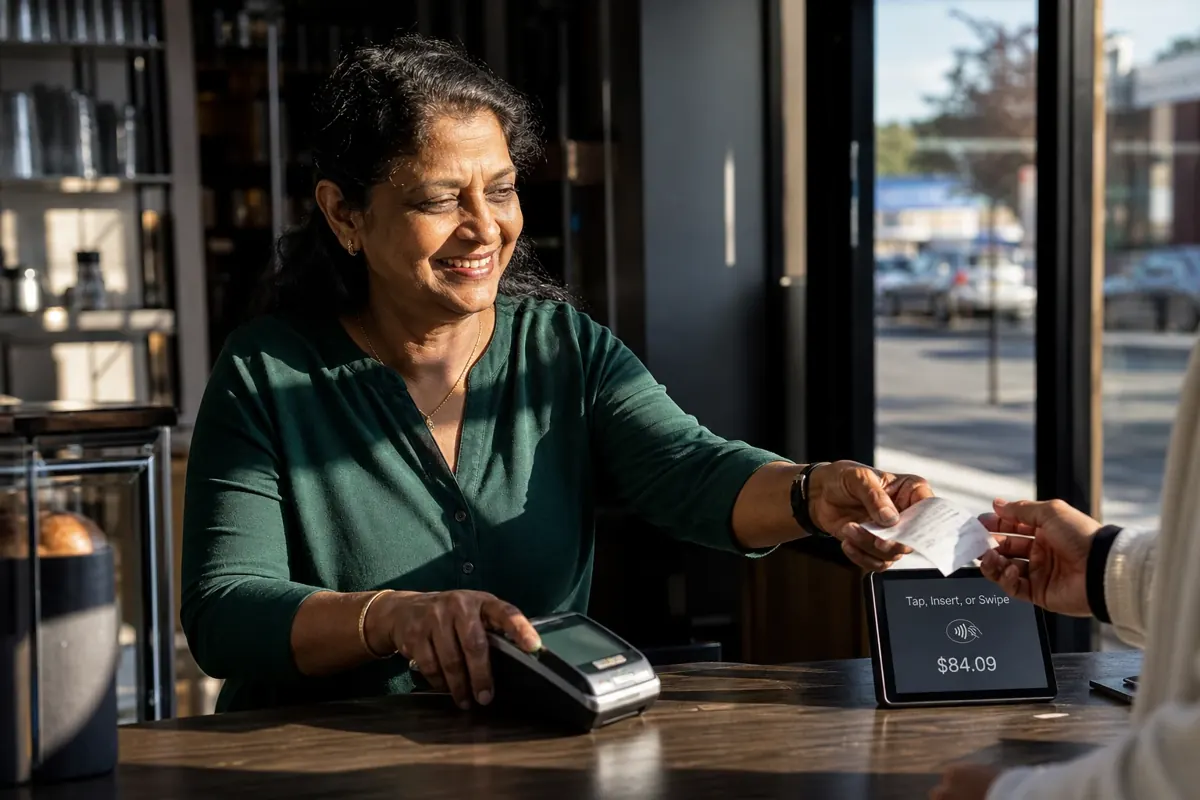
Explore nine in-person payment methods for small businesses and learn how to choose the right mix for faster, secure, and flexible checkouts.
Your customers expect excellent products and services, and they expect checkout to be fast, reliable, and effortless. They want to walk in, buy what they need, and leave without delays or cluttered processes. That is the challenge of choosing the right in-person payment methods, from cash and card readers to Tap to Pay with digital wallets.
The nine methods below range from cash to Tap to Pay. Each one earns its place at your checkout for a different reason: cost, speed, mobility, or the kind of customer you serve.
What are in-person payments?
In-person payments are transactions that take place when a customer and a business interact face-to-face, usually at the point of sale (POS). Unlike online transactions, where payment is made through a website or mobile app, in-person payments happen in a physical location such as a store, café, salon, or service venue.
They rely on a direct exchange, whether it is cash handed across the counter, a card inserted into a card reader, or a quick Tap to Pay with a smartphone.
What are the most common in-person payment methods in 2026?
Choosing how you accept payments in person is not just about convenience. It shapes your customer experience, cash flow, and long-term growth. While some businesses still rely on cash or paper checks, others lean more on contactless payments, digital wallets, or Tap to Pay solutions. Each option carries different costs, security levels, and customer expectations.
In practice, most merchants do not stick to one method. You are usually running several in-person payment methods side by side: cash for customers who prefer it, cards for the majority, and mobile wallets for those who want speed. This mix gives flexibility, ensures you do not lose sales channels if one system is down, and keeps every type of customer satisfied.
By understanding the strengths and trade-offs of the most common in-person point-of-sale payment methods, you can avoid costly mistakes, like investing in hardware you do not need or offering too few options that frustrate your customers.
JIM: no-hardware Tap to Pay on your smartphone
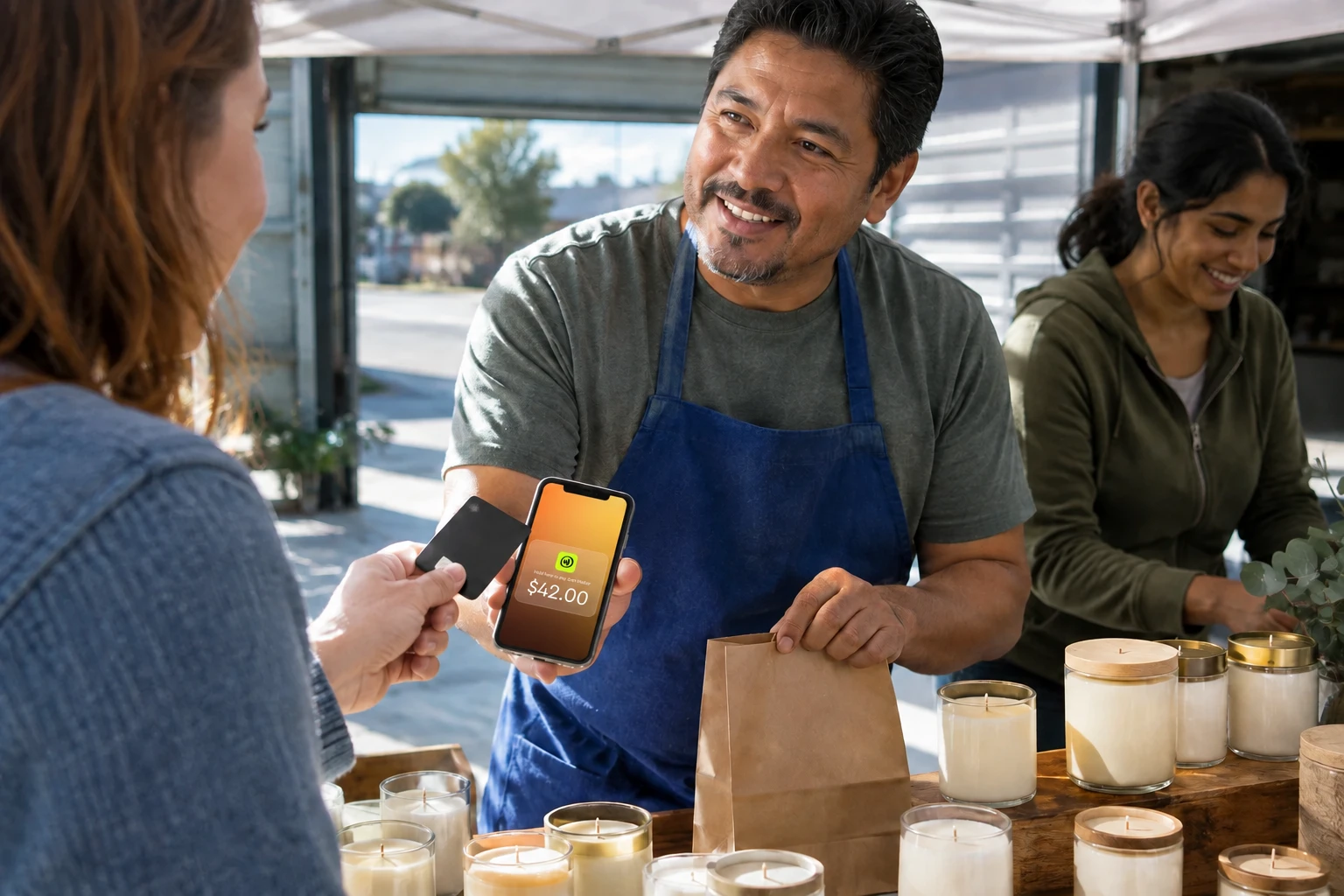
Tap to Pay lets you accept in-person payments directly on a smartphone without traditional card readers or bulky POS terminals. With JIM, your phone becomes a point-of-sale device that accepts contactless payment methods like debit and credit cards, digital wallets, and smartwatches.
For merchants, this means no upfront costs, no hardware installation, and the freedom to accept payments anywhere, from behind a counter to on-site visits or pop-up locations. Transactions are quick, secure, and easy to track.
How it works
To start using JIM, you only need your smartphone. The process is straightforward:
- Step one: Download the JIM app for iOS and complete a quick setup.
Figura
- Step two: When ready to sell, open the app and press "Sell." Ask the customer to tap their contactless card, digital wallet, or smartwatch against your phone.
Figura
- Step three: Receive the payment instantly. The amount, minus a flat 1.99% fee, is loaded onto your JIM Card (a virtual Visa Prepaid Card) and ready to use right away.
Figura
Pros
- Flat 1.99% fee: Irrespective of the size of your sale, you pay the same, predictable fee.
- No hardware costs: You do not need POS terminals or card readers, saving significant upfront and maintenance expenses.
- Faster checkout: Tap to Pay in-person transactions complete in seconds, reducing queues and improving customer flow.
- Accepts multiple methods: Debit and credit cards, Apple Pay, Google Pay, and NFC wearables are all supported.
- High mobility: Your smartphone is the POS, so you can accept in-person payments anywhere.
- Strong security: Tokenization and NFC encryption protect card details from theft.
- Quick access to funds: With JIM, payments go straight to your JIM Card, avoiding long settlement delays.
Deciding criterion
Tap to Pay with JIM fits businesses that want low costs, simple setup, and the ability to move freely without being tied to hardware. It works especially well for merchants who value speed at checkout and need flexibility to take payments anywhere, including:
- Pop-up shops and market vendors (avg. ticket under $50, needs mobility)
- Restaurants and cafés with counter service (high-volume, low-ticket)
- Independent service providers (delivery drivers, electricians, tutors)
- Boutiques and salons with limited counter space
Cash payments
Cash remains the most traditional form of in-person payment. Unlike digital payment solutions, cash requires no card readers, no internet, and no electronic POS system to complete a transaction. For many small businesses, it still represents an important channel because it is immediate, simple, and universally understood.
Cash accounted for 14% of all consumer payments by number in 2024, down from 16% the prior year, according to the Federal Reserve's 2025 Diary of Consumer Payment Choice. Credit and debit cards accounted for 35% and 30% of payments, respectively. The share of cash has declined steadily as digital payment methods like Tap to Pay grew in popularity, but it still plays a role in many sectors.
How it works
Cash transactions require very little infrastructure. A merchant keeps a cash float in the register or cash box, accepts physical money from the customer, and provides change if needed. Each transaction should be logged manually or entered into a point-of-sale system to ensure records are accurate. At the end of the business day, cash is usually counted, reconciled against sales records, and deposited into the business's bank account. While the technical setup is minimal, the responsibility lies in safe storage and disciplined tracking.
Pros
- No transaction fees: Cash payments avoid processor charges, allowing merchants to keep the full sale amount.
- Always available: Works during internet outages or POS system failures, ensuring continuity of sales.
- Immediate liquidity: Funds are available immediately and can be used for same-day expenses.
- Universal familiarity: Every customer understands how to pay with cash, regardless of technology access.
- Supports privacy-minded customers: Some buyers choose cash specifically because it leaves no digital trail.
Cons
- High theft and loss risk: Cash can be stolen externally or mishandled internally.
- Manual reconciliation effort: Counting, balancing, and depositing takes time and staff resources.
- Weaker record-keeping: Without diligent entry into the POS, it is easy to lose financial accuracy.
- Inconvenient for large payments: Carrying and securing high-value amounts is impractical.
- Decreasing popularity: Younger customers and urban demographics increasingly prefer digital payments.
Deciding criterion
Cash remains most useful where digital adoption is low or where customers prefer quick, tangible exchanges. It is especially valuable in areas with unreliable internet, businesses with small-ticket items (under $10), or sectors serving elderly customers who are less likely to use contactless payments or digital wallets. Those include:
- Corner shops in rural or semi-urban areas
- Neighborhood grocery stores
- Small cafés and bakeries
- Barbershops and local salons
- Event booths, street vendors, and farmers' markets
Credit and debit cards
Credit and debit cards remain the backbone of in-person payments. They are familiar, fast, and widely trusted, making them one of the most reliable ways to complete sales at the point of sale. Merchants rely on cards because they provide consistency, reach the widest customer base, and integrate easily with most modern payment solutions.
How it works
When a customer taps, dips, or swipes a card, the transaction flows through the POS system or card reader. The issuing bank authorizes the payment in real time, and settlement is handled by the processor. Most card payments reach your account within one to three business days, though the exact window varies by processor and account type.
Pros
- Broad customer acceptance: Almost every shopper carries a debit or credit card, making this method universal.
- Fast checkout: Chip and Tap to Pay technology process transactions quickly and keep lines moving.
- Higher average spend: Cardholders often spend more than cash customers, increasing ticket sizes.
- Fraud protection: Authorization systems and chargeback rights provide safeguards against losses.
- POS integration: Cards connect smoothly with point-of-sale software, simplifying record-keeping.
Cons
- Credit card processing fees: A percentage of each sale goes to processors, which reduces margins.
- Chargebacks: Disputes can tie up revenue and require administrative effort.
- Hardware costs: Terminals and card readers require upfront investment and maintenance.
- Settlement delays: Unlike cash, funds are not immediately available.
Deciding criterion
Debit and credit cards are best for businesses that want a reliable, trusted option that meets customer expectations in almost every setting. They are especially effective in industries where card use is standard and larger purchase amounts (over $25) are common, including:
- Restaurants and cafés
- Retail shops and boutiques
- Hotels and travel agencies
- Professional services (clinics, law offices, consultants)
- Gyms and fitness centers
Peer-to-peer (P2P) payments
Peer-to-peer (P2P) payment apps have moved beyond splitting dinner bills and are now used by many small businesses to accept payments. For you, this payment method provides an entry-level way to collect money without a formal point-of-sale system or card readers. Customers are already comfortable using these apps in their daily lives, which lowers the barrier for adoption at checkout.
The trade-off is that P2P was built mainly for personal transfers, not structured commerce. That means while it is quick and familiar, it lacks the same level of record-keeping, buyer protection, and scalability that comes with traditional payment solutions.
How it works
A P2P transaction usually starts with the customer selecting the business profile or scanning a QR code connected to the merchant's account. The payment is confirmed within seconds inside the app, creating instant visibility for both parties.
Where things differ from cards is in settlement. Standard transfers often take one to three days to reach a linked bank account, unless the merchant pays a fee for instant deposit. This flexibility makes P2P appealing for fast-moving, low-value sales channels, but less ideal for businesses handling larger transactions or requiring clean accounting records.
Pros
- Fast access to funds: Payments appear quickly inside the app, giving immediate confirmation.
- Low transaction costs: Standard transfers are often free, reducing overhead for small operations.
- No equipment needed: You can start with just a smartphone and a verified account.
- Customer familiarity: Shoppers already use these apps, which makes adoption effortless.
- Portable and flexible: Suitable for mobile businesses, on-site services, or temporary events.
Cons
- Limited dispute handling: Unlike credit cards, P2P apps offer weak buyer and seller protections.
- Blurry business use: Mixing personal and business transfers complicates tracking and tax reporting.
- Transfer restrictions: Daily or weekly limits can block larger payments.
- Professional image concerns: Established customers may view P2P as less legitimate compared to a POS checkout.
- Extra cost for instant payouts: Same-day access to funds often comes with added fees.
Deciding criterion
P2P payments suit businesses that run on trust, small ticket sizes (under $25), and personal relationships with customers. They are often adopted as a secondary option rather than the primary checkout channel. Industries that benefit the most include:
- Independent tutors and coaches
- Freelancers and side-hustle operators
- Craft and handmade goods sellers
- Local fitness or hobby classes
- Community market stalls
Digital wallets
Digital wallets such as Apple Pay, Google Pay, and Samsung Pay have become a mainstream way of paying at the point of sale. Instead of pulling out a physical card, customers unlock their phone or smartwatch and complete the transaction with a single tap. For merchants, this means shorter lines, fewer abandoned purchases, and a payment flow that feels seamless for tech-savvy buyers.
Adoption has surged in recent years, with younger demographics in particular leading the shift. Mobile phones were used for 23% of all payments in 2024, according to the Federal Reserve's 2025 Diary of Consumer Payment Choice, and digital wallets are often the first payment method customers reach for when checking out in-store.
How it works
Digital wallets store a virtual version of a customer's debit or credit card inside a mobile device. When the customer pays, the wallet uses NFC technology to send encrypted payment data to your POS system or Tap to Pay app. This tokenized process replaces sensitive card details with unique codes, protecting both you and the customer from fraud.
For merchants, enabling digital wallets is often just a matter of making sure your card readers or payment solutions are NFC-capable. Once that is in place, the setup is minimal, and customers can start using their devices to complete transactions instantly.
Pros
- Speed at checkout: Transactions complete in seconds, keeping lines short during peak hours.
- Strong security: Tokenization and device authentication (fingerprint, face ID) reduce fraud risks.
- Customer preference: Many shoppers, especially younger ones, now expect wallet support.
- Reduced contact: Wallets eliminate the need to hand over cards or cash, appealing in health-conscious environments.
Cons
- Requires NFC-ready hardware: Older terminals or POS systems without NFC cannot accept wallets.
- Excludes non-digital customers: Not all demographics use or trust mobile wallets.
- Payment processing fees remain: Costs are similar to regular card payments, with no discount for merchants.
- Battery dependency: Customers need their device charged, which can occasionally block a sale.
- Connectivity reliance: Like cards, digital wallets depend on reliable internet connections for authorization.
Deciding criterion
Digital wallets are a strong option for merchants who serve fast-paced environments or customer bases that embrace technology, such as:
- Quick-service restaurants and cafés
- Convenience stores and supermarkets
- Apparel and lifestyle retail
- Transit and ticketing providers
- Fitness and wellness studios
Paper checks
Paper checks may feel old-fashioned, but they still play a role in certain industries. For merchants, they provide a way to accept payments without card networks or cash handling, and some customers, particularly in older demographics or B2B settings, still prefer them. While their share of in-person payments has declined, checks can be a sign of trust and formality, especially in professional services or contracts. The trade-off is slower settlement and a higher risk of returns if the account has insufficient funds.
How it works
When a customer writes a check, the merchant deposits it into a business bank account. Traditional deposits used to require a trip to the bank, but many institutions now support mobile deposit through mobile apps. The check amount is verified and cleared within several days, depending on the bank's policies. Some merchants use check-verification services or guarantee programs to reduce the risk of nonpayment.
Unlike instant Tap to Pay or digital wallet transactions, checks involve more manual steps and longer timelines. For businesses that manage higher-value payments, however, the ability to bypass card fees can outweigh the inconvenience of slower processing.
Pros
- No card processing fees: Merchants keep the full amount without paying transaction percentages.
- Preferred by some clients: Older customers and certain businesses still see checks as reliable.
- Suitable for large payments: Customers may feel more comfortable writing a check for high-value purchases.
- Record-friendly: Checks create a paper trail that can be useful for accounting and dispute resolution.
- Banking integration: Remote deposit tools streamline handling compared to physical bank visits.
Cons
- Slow settlement: Funds can take days to clear, delaying cash flow.
- Risk of bounced checks: Insufficient funds or fraud can leave merchants unpaid.
- Manual handling: Requires extra steps for deposit, storage, and reconciliation.
- Declining usage: Many customers no longer carry checkbooks, limiting adoption.
- Security concerns: Checks display bank account numbers, raising privacy risks.
Deciding criterion
Paper checks work best in industries where payments are large (over $500), customers value formality, or older demographics are more common, including:
- Professional service firms (law, accounting, consulting)
- Contractors and home repair services
- Medical and dental clinics
- Private education or childcare providers
- Membership-based organizations and clubs
Contactless payments (NFC cards & wearables)
Contactless cards and NFC-enabled wearables have reshaped how in-person payments happen at the point of sale. Instead of inserting or swiping, customers simply hold their card, smartwatch, or wristband near a terminal and complete the transaction instantly. For you as a business owner, this reduces checkout friction, speeds up lines, and meets rising customer expectations for fast and secure payments.
The popularity of contactless has surged worldwide. Many banks now issue tap-enabled debit and credit cards by default, and customers increasingly see Tap to Pay as the normal way to transact.
How it works
Contactless cards and wearables use near-field communication (NFC) to transmit encrypted data to your POS system or card reader. The card never leaves the customer's hand, which shortens the interaction and improves security.
For you, setup typically means having NFC-enabled terminals or using a smartphone-based payment solution. Once enabled, you can accept transactions under a set limit instantly, while higher amounts require the customer to authenticate with a PIN. The combination of speed and security makes this method particularly valuable in high-volume environments.
Pros
- Very fast checkout: Payments are confirmed in seconds, reducing wait times during busy hours.
- Convenience for customers: Shoppers do not need to swipe, dip, or even unlock their wallet.
- Supports multiple formats: Works with cards, watches, wristbands, and other NFC devices.
- Improved hygiene: Minimal physical contact with terminals is appealing in health-conscious settings.
- Strong fraud protection: Data is tokenized, lowering the chance of card information theft.
Cons
- Hardware requirement: Merchants need NFC-enabled terminals or a Tap to Pay app to accept these transactions.
- Transaction limits: Higher-value purchases may require chip-and-PIN entry.
- Excludes some customers: Older cards and certain demographics may not yet use contactless options.
- Connectivity dependence: Authorization requires a stable internet connection.
- Initial cost: Upgrading to contactless-capable POS systems can require investment.
Deciding criterion
Contactless payments are most effective in industries where transaction speed and customer convenience are critical (high volume, ticket under $50), including:
- Quick-service restaurants and cafés
- Grocery stores and supermarkets
- Public transit and ticketing services
- Stadiums and event venues
- Pharmacies and convenience shops
QR code payments
QR codes have become a practical alternative for in-person payments, especially in settings where hardware is limited. Instead of tapping a card or swiping at a terminal, customers scan a displayed QR code with their phone, open a secure payment page, and complete the transaction. For merchants, this creates a low-cost way to accept payments while still offering customers the convenience of digital transactions.
Adoption has accelerated in markets where mobile-first payments dominate, and in industries where speed and flexibility are more important than having a full point-of-sale system.
QR codes also help merchants bridge online and offline commerce, since the same code can work for both in-store checkout and remote ordering.
How it works
To accept payments, merchants generate a dynamic QR code linked to a payment gateway or payment solution. Customers scan it with their smartphone camera, confirm the amount, and authorize the transfer through their preferred payment method (card, bank account, or digital wallet).
For businesses, setup is lightweight. Codes can be printed on receipts, menus, or posters, or displayed digitally at the checkout. Settlement depends on the provider but usually follows the same flow as card payments. The process removes the need for card readers, though it does depend heavily on the customer's phone and network connection.
Pros
- Low cost setup: Merchants do not need terminals or specialized hardware to use this in-person payment method.
- Flexible placement: QR codes can be displayed anywhere, on counters, tables, flyers, or screens.
- Cross-channel use: The same QR can support in-store checkout and online ordering.
- Customer convenience: Works with multiple payment methods, including wallets and bank accounts.
Cons
- Slower than contactless: Scanning a QR and confirming the payment takes longer than a tap.
- Customer readiness: Not everyone is comfortable using QR codes, especially less tech-savvy groups.
- Brand trust concerns: Poorly designed or unfamiliar codes may make customers hesitate to scan.
- Limited integration: Without direct POS sync, sales reconciliation can require extra steps.
Deciding criterion
QR code payments are a strong fit where cost control and flexibility are priorities, or where customer engagement blends physical and digital channels. They work well in industries with younger, mobile-first audiences, and in settings where speed matters but full POS hardware is not practical, including:
- Cafés and casual dining restaurants
- Food trucks and pop-up vendors
- Small retailers and craft markets
- Gyms and wellness studios
- Events and festivals
POS payments (traditional terminals & card readers)
Traditional point-of-sale (POS) systems with terminals and card readers have long been the standard way of handling in-person payments. These setups usually combine hardware with software to manage not only transactions but also inventory, reporting, and customer data. For you, this provides a stable, professional checkout process that customers are already familiar with.
While newer options like Tap to Pay and QR codes are gaining ground, dedicated POS systems still dominate in many industries because of their reliability and integration capabilities.
How it works
A POS setup typically includes a countertop terminal or mobile card reader connected to a payment platform processor. When customers insert, swipe, or tap their card, the data is transmitted securely to the acquirer, and the authorization is returned within seconds. The same system can be linked to inventory and staff management tools, making it more than just a way to take payments.
For merchants, installation involves both hardware and software. This means higher upfront costs but also deeper functionality, such as receipt printing, tax calculation, and integration with accounting systems. Unlike lighter payment solutions, POS systems are designed for continuous, high-volume use.
Pros
- Comprehensive functionality: Handles payments, inventory, reporting, and staff management in one system.
- Professional customer experience: Dedicated terminals provide a familiar and trusted checkout.
- Hardware durability: Devices are built for daily use and heavy transaction volumes.
- Integration potential: POS software connects with accounting, loyalty, and other business tools.
- Supports multiple payment methods: Cards, contactless, and sometimes even checks or gift cards.
Cons
- High upfront cost: Hardware, setup, and software licensing can be expensive.
- Ongoing maintenance: Devices may require updates, repairs, or replacements over time.
- Less mobility: Countertop terminals are fixed, limiting flexibility outside the store.
- Complex onboarding: Staff need training to use the full POS features effectively.
- Processing fees still apply: Card-based transactions carry the same network costs as other methods.
Deciding criterion
POS systems are best for businesses with structured operations, multiple checkout points, or large inventories that require tight integration with sales data. They are particularly useful when reliability, reporting, and professional presentation matter most, including:
- Supermarkets and grocery chains
- Apparel and specialty retail stores
- Full-service restaurants
- Pharmacies and health stores
- Multi-location businesses with high transaction volume
Electronic fund transfers (EFTs / ACH)
Electronic fund transfers, often called ACH (Automated Clearing House) in the U.S., allow money to move directly from a customer's bank account to the merchant's account. Unlike card-based transactions, these payments run through banking networks, which usually makes them less expensive. For merchants, EFTs provide a reliable way to accept payments for larger sums, recurring charges, or membership-based services.
While EFTs are not typically used for fast retail checkout, they are valuable in industries where predictability and cost efficiency matter more than instant speed. They also reduce dependency on physical point-of-sale systems and card readers, since transactions happen account-to-account.
How it works
When a customer authorizes an EFT, their bank initiates a transfer to your account through the ACH network, which is governed by Nacha operating rules and settles through the Federal Reserve or EPN. The significant majority of ACH payments settle in one business day or less, and Same Day ACH is available for faster settlement, according to Nacha.
To enable EFTs, merchants usually work with a payment platform processor or directly through their bank. Customers provide bank details or sign an authorization form, which allows funds to be drawn automatically on agreed dates. This makes EFTs particularly useful for subscriptions, invoices, or payment plans.
Pros
- Lower processing costs: Fees are often lower than card networks, saving money on large or recurring payments.
- Stable cash flow: Great for predictable income like memberships, subscriptions, or rent.
- No card dependency: Avoids issues with expired, lost, or replaced cards.
- Secure and regulated: Transfers are handled through banking networks with strong oversight.
- Supports recurring billing: Automated debits reduce missed payments and manual follow-ups.
Cons
- Slower settlement: Standard transfers can take several days, delaying access to funds.
- Limited retail use: Customers do not typically use EFTs for small, day-to-day purchases.
- Potential for returns: Insufficient funds or incorrect details can result in failed transfers.
- Extra setup needed: Merchants must collect and securely store sensitive account data.
Deciding criterion
EFTs are best for businesses that prioritize predictable cash flow, handle larger transactions (over $100), or rely on recurring billing. They are less suited for high-volume retail checkout but work well in industries where stability and lower costs matter most, including:
- Gyms and fitness memberships
- Subscription services
- Professional service firms (accounting, legal, consulting)
- Property management and rent collection
- Healthcare and dental practices with recurring patients
How do you choose the right in-person payment method?
You do not have to lock yourself into one way of accepting payments. Most businesses use several in-person payment methods interchangeably: cash alongside cards, QR codes as a backup, or Tap to Pay for mobility. That flexibility protects you from relying on a single system, and it ensures every customer finds an option they are comfortable with.
Your choice is also highly individual. What works for a café may not work for a law office, and the right mix for you today might shift if your business expands, moves to a new location, or enters a new industry. That is why it is less about finding the one "best" method and more about balancing the methods that fit your current needs.
The table below compares all nine methods on the factors that drive the cost and speed of each transaction.
<p>
| Method | Fee | Setup cost | Settlement time | Best-fit ticket size |
|---|---|---|---|---|
| JIM Tap to Pay | 1.99% flat | None (phone only) | Instant | Any (mobile sales) |
| Cash | None | Cash float | Instant | Under $10 |
| Credit and debit cards | 2% to 3.5% | Terminal or reader | 1 to 3 business days | Over $25 |
| P2P apps | Often free | None | 1 to 3 days | Under $25 |
| Digital wallets | Same as cards | NFC-ready reader | 1 to 3 business days | Any |
| Paper checks | None | None | Several days | Over $500 |
| Contactless (NFC) | Same as cards | NFC terminal | 1 to 3 business days | Under $50 |
| QR code payments | Varies by provider | None (printed code) | Same as cards | Under $50 |
| POS terminals | 2% to 3.5% | Terminal + software | 1 to 3 business days | Any (high volume) |
| EFTs / ACH | Lower than cards | Bank or processor | 1 business day or less | Over $100 |
Here are the key factors to consider when making your decision:
Fit to your customer and business needs
Think about who your customers are and how they prefer to pay. If your audience is younger, you will need to offer digital wallets and contactless payments because that is where their habits lie. If you serve older customers, keeping cash payments or even checks available might save sales. For you, this means matching your payment methods to real behavior, not assumptions.
Actionable step: Look at your last 100 transactions. Write down how many were cash, card, or digital wallet. If you see one channel growing, add more support for it; if another barely registers, decide if it is worth keeping or simplifying.
Security and trust
Every transaction is also about trust. Customers expect their payments to be safe, and you need protection from fraud or disputes. Cards and digital wallets give you strong built-in fraud checks, while P2P apps offer less protection. Choose the methods that give you peace of mind without overcomplicating your process.
Actionable step: Ask yourself, "If a customer disputes a transaction, how will I handle it?" If you do not have a clear answer, you may need to add a more secure payment option.
Scalability and flexibility
What fits a one-person pop-up today may not fit a multi-location business tomorrow. Some payment solutions scale easily, like Tap to Pay apps that can be used by more staff as you grow, while others lock you into costly hardware upgrades. The best methods are the ones that move with you as your business changes.
Actionable step: Before committing, ask your provider, "If I double my sales volume or open a second location, how much more will this system cost me?" If the answer is vague or expensive, keep looking.
Adapting your payment ecosystem as your business grows
Payment habits evolve constantly, and what customers prefer today might shift in just a few years. That is why the best strategy is not locking yourself into one method, but staying flexible. As your business grows, you may add new checkout lanes, move locations, or even change industries, and each step could call for a different combination of in-person payment methods. Some merchants lean on traditional terminals for reliability, while others benefit from introducing QR codes or digital wallet payments.
Which payment mix should you start with?
The smartest businesses use several in-person payment options side by side. That way, if one system slows down or fails, another is ready to keep sales flowing. This mix ensures you can serve every customer, whether they carry cash, cards, or just their phone.
The recommended starting stack depends on your business type:
<p>
| Business type | Recommended payment mix |
|---|---|
| Café or counter service | JIM Tap to Pay + cash + digital wallets |
| Mobile or on-site service | JIM Tap to Pay + P2P as backup |
| Retail boutique | POS terminal + cards + contactless |
| Professional services | Cards + checks + EFTs for invoices |
| Gym or membership | EFTs for recurring + cards at front desk |
If you are looking for a straightforward way to build flexibility from the start, JIM's Tap to Pay makes it possible to accept credit and debit cards or digital wallets like Google and Apple Pay, right on your phone, without buying extra hardware.
By turning your smartphone into a point-of-sale system, JIM removes setup costs and steep learning curves, giving you a simple way to scale your payment options as your business changes. Download JIM to get started.
Frequently Asked Questions
Which in-person payment method is the cheapest?
What is the safest in-person payment method?
Which in-person payment method is best for a small business?
How fast do in-person payments settle?
Do I need a card reader to accept in-person payments?



Sell and get paid in seconds with Jim






