Merchant Services for Small Business: Compare Total Cost

See article summary
- Merchant services for small business cost 1.5% to 3.0% of sales; the effective rate, not the headline, reveals the price
- The processor's markup is the only negotiable piece; interchange stays fixed, and tiered pricing hides your real rate
- JIM Tap to Pay charges 1.99% with no monthly or rental fee; remote Payment Links cost 4.99% plus $0.30
- Settlement and usable timing differ: JIM Card funds are spendable instantly, while a bank transfer costs 1.99% plus $0.99
- A representative transaction confirms cost and when funds are usable before signing; an aggregator skips a dedicated merchant account
Merchant services are the tools and processing relationship that let your business accept, authorize, and settle card or digital payments. The merchant account is where card money sits before it reaches your bank, and settlement is the step that moves those funds to you.
So a single quoted percentage cannot choose your setup. Weigh four things together: total cost across every channel, the payment channels the setup actually covers, any equipment commitment, and when the money becomes usable. Card acceptance already costs 1.5% to 3.0% of sales, so measure that against your own sales and the full fee schedule, not a headline rate.
Audit the Total Cost Before You Compare Merchant Services
Before you set two quotes side by side, run a four-step audit on your own sales. A brochure rate compares only after you rebuild it into an effective processing rate, the total you pay to accept cards divided by your card sales.
Use Your Effective Processing Rate, Not the Advertised Rate
- Split card-present (in-person) sales and remote (online or keyed) sales into separate lines, because each channel carries its own rate.
- Price each line with its own percentage and its per-transaction charge in cents.
- Add every recurring cost on the statement: monthly, statement, and PCI fees, plus any hardware rental or contract charge.
- Divide the total payment cost by total card sales. That percentage is your effective processing rate.
Those four steps are how to calculate your effective processing rate for any quote.
Picture a service owner reviewing one month of statements: her provider advertised a 2.5% rate, but after she separated in-person from remote sales and added a statement fee, a PCI charge, and a terminal rental, the real rate climbed well past the headline. The low number lost its advantage before the audit finished.
Check What the Fee Model Leaves Out
Credit card processing fees for small business owners come in layers, and the pricing model decides whether you can audit them.
Three pieces sit inside every card rate. Interchange, set by the card networks and paid to the customer's bank, is the largest. A network assessment and the processor's markup make up the rest, and only the markup is truly negotiable. Congressional analysis of the $160 billion in swipe fees charged in 2022 confirms that split.
A flat rate gives you one number to check against your statement. Interchange-plus lists interchange and markup separately, so you see what each sale costs. Tiered pricing sorts sales into "qualified" and "non-qualified" buckets the processor controls, which hides the real rate.
PCI DSS, the Payment Card Industry Data Security Standard that governs how card data is handled, often appears as its own line too. Record the same variables for every quote and split them by channel:
| Variable to record | In-person card sale | Remote or keyed sale |
|---|---|---|
| Percentage rate | Card-present rate | Card-not-present rate, usually higher |
| Per-transaction charge | Fixed cents per sale | Fixed cents per sale |
| Recurring or hardware cost | Monthly, statement, PCI, terminal rental | Monthly, statement, PCI, gateway fee |
| Contract terms | Length and early-termination fee | Length and early-termination fee |
| Payout route | Account the money lands in | Account the money lands in |
| Funds usable | Days until you can spend | Days until you can spend |
Total each channel and the effective rate compares like with like. Cost is only half the decision, though: you still need to know which channel collects each sale and how soon the money is usable.
Match the Setup to How You Take Payments and Use the Cash
A setup fits only when its channel-specific cost and its route to usable funds match your daily sales and cash needs. Decide by mapping each sale to its channel, then asking when and where the money becomes spendable.
Keep Remote and In-Person Payments on Separate Lines
Consider a mobile service owner who takes a booking deposit before the appointment and collects the job-completion balance in person. Those are two channels, and a single blended rate would hide the gap between them.
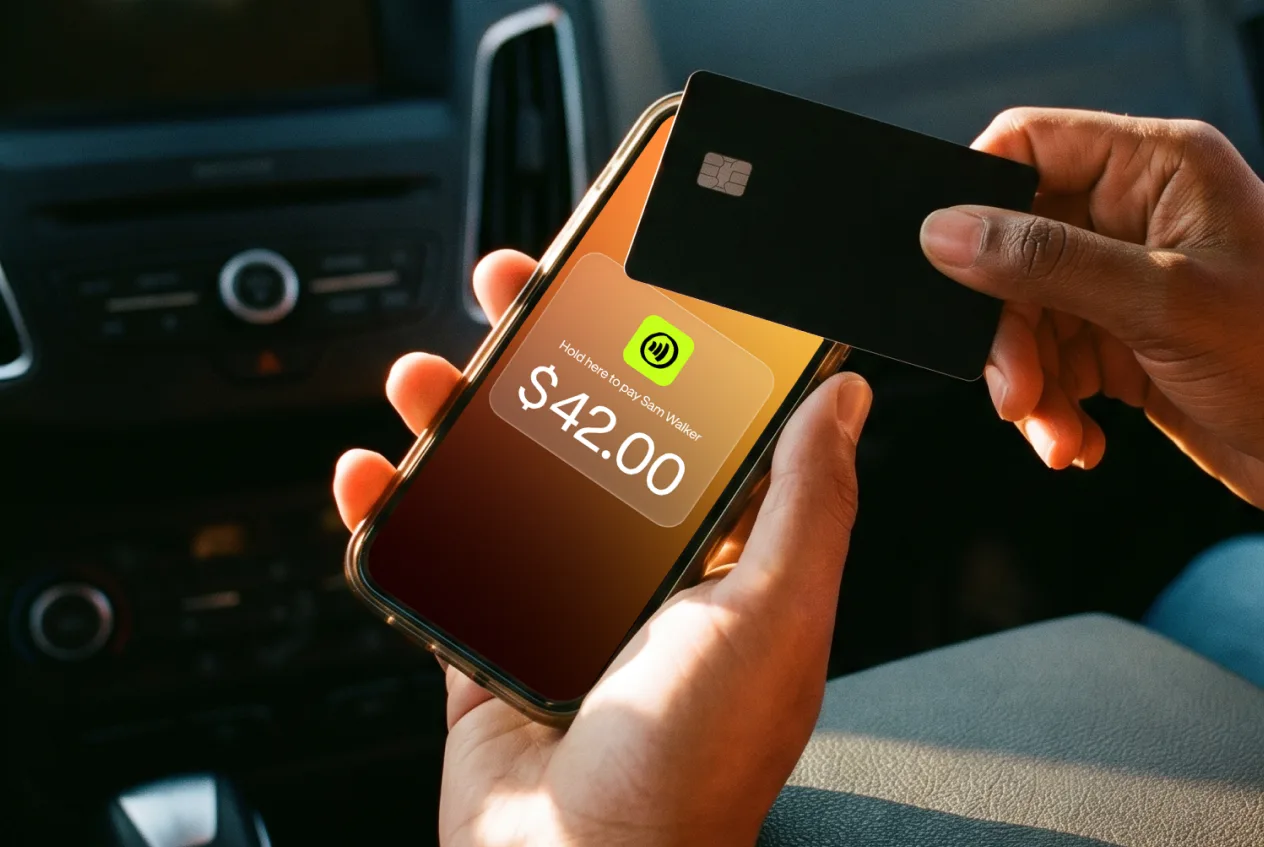
JIM prices them apart. An in-person contactless sale runs on JIM Tap to Pay at 1.99% per transaction, with no monthly, setup, or hardware-rental fee. A remote booking payment through a JIM Payment Link costs 4.99% + $0.30, so the deposit and the balance stay on separate audit lines.
Tap to Pay works only for contactless in-person sales, so a phone-only or mail-order seller needs another tool. For an owner whose counter sales are already contactless, that limit becomes the strength: the phone accepts cards with no terminal to rent. See how Tap to Pay works for merchants before you decide.
Compare Settlement With Access to Usable Funds
Settlement is not the same as when you can spend the money.
Ask three things: when the funds are available, where they land, and what it costs to move them.
With JIM, completed-sale funds land instantly on the virtual JIM Visa Prepaid Card, so you spend right away. A same-day transfer over the Automated Clearing House, or ACH, the network banks use to move money between accounts, sends that balance to a registered U.S. bank account for 1.99% + $0.99, with a $15 minimum.
Record the same variables for each channel:
| Payment channel | Equipment | Fee | Where funds land | When usable |
|---|---|---|---|---|
| In-person Tap to Pay | Your phone, no reader | 1.99% per sale | JIM Visa Prepaid Card | Instantly |
| Remote Payment Link | None, link only | 4.99% + $0.30 | JIM balance or Card | Instantly on the Card; same-day ACH to bank at 1.99% + $0.99 |
Match both the channel cost and the cash route to your sales, and the setup fits. Then run one representative transaction to confirm the payment and funds route work before you commit to equipment or a contract.
Read more
- How to accept credit card payments: a step-by-step guide
- Best credit card processing for small business
Run One Representative Payment Before You Commit
You have separated total cost from cash access. Prove both on a real sale before you sign anything:
- List one typical month of in-person and remote sales, split by channel.
- Request the complete fee schedule in writing, with every recurring, hardware, and contract charge named.
- Run one representative transaction and confirm both the effective cost and when the money becomes usable.
If your in-person sales are mostly contactless and your audit rewards no hardware rental, JIM Tap to Pay charges 1.99% per sale and lands proceeds instantly on the virtual JIM Visa Prepaid Card. Run that same test at https://onboarding.jim.com before you commit.
Frequently Asked Questions
Do I Need a Merchant Account to Accept Card Payments?
How Do I Compare Merchant-Service Fees?
Why Does Settlement Timing Differ From When I Can Use the Money?



Sell and get paid in seconds with Jim






