Mobile payment solutions for small businesses guide
See article summary
- Mobile payment solutions let customers pay with phones or tablets via NFC, QR codes, or digital wallets instead of cash or cards.
- The Federal Reserve counted 14.4 billion mobile wallet payments in 2023, up from 2.9 billion in 2018.
- Compare providers on fees, payout speed, and hardware needs before committing to a solution.
- JIM turns an iPhone into a contactless terminal at a flat 1.99% fee with instant payouts and no hardware.
- Match the payment method to where and how you sell for the best checkout experience.
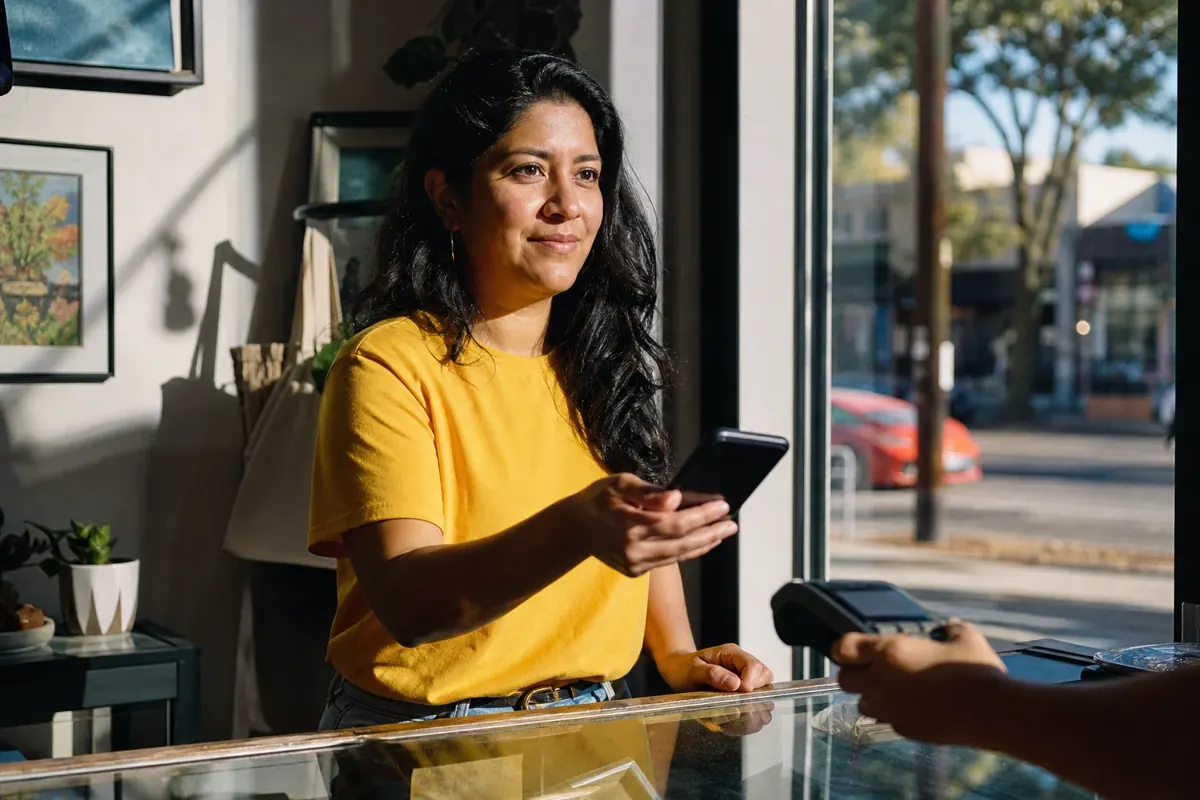
A customer walks up to your booth at the farmers market, reaches for her phone, and asks, "Do you take Apple Pay?" If you can't say yes, you've likely lost that sale.
Mobile payment solutions let customers complete transactions using smartphones or tablets instead of cash or physical cards. The technology relies on NFC, QR codes, or digital wallets to move money from the customer's account to yours, and tap-to-pay has moved from novelty to default expectation at most checkout counters.
What Is a Mobile Payment Solution?
A mobile payment solution is any system that lets a customer pay by tapping, scanning, or authorizing from a phone or tablet instead of handing over cash or a physical card. To be viable for a small business in 2026, the solution must accept contactless cards and at least one digital wallet, settle funds within a day or two, and work without locking you into a multi-year terminal lease. The Federal Reserve counted 14.4 billion mobile wallet payments in 2023, up from 2.9 billion in 2018, a clear signal that the technology has crossed into mainstream use.
These systems cover in-store checkout, online payments, and on-the-go transactions. The core components stay the same: a mobile device, a payment app, internet connectivity, and secure authentication such as a fingerprint or facial recognition. The customer authorizes the payment, and funds move from their account to yours.
What Are the Main Types of Mobile Payments?
Mobile payments split into three categories based on the underlying technology and use case. Knowing which one fits your setup helps you match the right solution to how your business operates.
| Type | Technology | Hardware Needed | Best For |
|---|---|---|---|
| NFC/Tap-to-Pay | Radio frequency | NFC terminal or softPOS | High-volume retail, speed |
| QR Code | Camera scan | Printed or displayed code | Events, low-tech setup |
| Mobile Wallet | Digital card storage | Varies by use | Omnichannel flexibility |
NFC (Near-Field Communication) Payments
Tap-to-pay has become the default expectation at most retail checkouts.
NFC payments use short-range radio waves to transmit payment data between devices held within centimeters of each other. Customers typically pay with Apple Pay, Google Pay, or Samsung Pay. These payments complete in about one second, which reduces lines and improves customer experience during busy periods.
QR Code Payments
For businesses that want a user-friendly option without investing in terminals, QR codes offer a scalable alternative.
The customer scans a code displayed on your screen or printed sign using their phone camera, then confirms the payment in their app. Popular options include Venmo QR, PayPal QR, WeChat Pay, and Alipay. You don't need an NFC terminal; a printed code handles the job with full Android and iOS compatibility.
Mobile Wallet Payments
Digital wallets consolidate payment functionality into a single app, letting customers store cards and loyalty programs together.
Apple Wallet and Google Wallet work across channels: NFC for in-store purchases, online payments for ecommerce, and in-app payments for digital goods. This flexibility makes them valuable for businesses selling through multiple touchpoints.
How Do Mobile Payments Work?
Mobile payments complete in five steps: initiation, authentication, tokenization, authorization, and settlement, usually in under two seconds.
- Payment initiation: The customer taps their phone, scans a QR code, or clicks pay in an app.
- Authentication: Biometrics (Face ID, fingerprint) or a PIN confirms the customer's identity.
- Tokenization: The actual card number gets replaced with an encrypted token that means nothing if intercepted.
- Authorization: The issuing bank approves or declines the transaction in real time.
- Settlement: Funds transfer from the customer's account to your merchant account.
Tokenization changes how payment security works. Your customer's actual card number never transmits during the transaction. Even if someone intercepted the data, they'd capture a meaningless token that can't be reused. For more on how tap to pay technology handles these secure connections, the process follows EMVCo standards used globally.
Which Mobile Payment Provider Is Best for Small Businesses?
Choosing between providers requires matching features to your specific business needs. The right solution depends on your transaction volume, business type, and where you sell. The comparison below covers fees, payout timing, and card reader requirements. Rates reflect each provider's published U.S. in-person pricing as of August 2026.
| Solution | In-Person Fee | Payout Speed | Hardware | Best For |
|---|---|---|---|---|
| JIM | 1.99% flat | Instant | None (iPhone only) | Mobile businesses, pop-ups |
| Square | 2.6% + 15¢ | 1 to 2 days (instant for a fee) | Free basic reader | Retail, restaurants |
| PayPal Zettle | 2.29% + 9¢ | 1 to 3 days | Reader available | Online-first sellers |
| Stripe Terminal | 2.7% + 5¢ (plus 10¢ Tap to Pay) | 2 days | Various readers | Developers, custom builds |
| Shopify POS | 2.6% + 10¢ (Basic) | 1 to 3 days | Varies by plan | Ecommerce plus physical |
Source: Square, PayPal Zettle, Stripe, and Shopify official websites, accessed August 2026.
JIM turns your iPhone into a POS system with no hardware purchase required. At a flat 1.99% fee per Tap to Pay sale, funds land instantly on your JIM Visa Prepaid Card. It works well for food trucks, mobile businesses, farmers markets, and anyone needing to accept payments on the go. The JIM Card is issued by Lead Bank, Member FDIC, pursuant to a license from Visa U.S.A. Inc., and balances are FDIC insured up to $250,000.
Square offers an all-in-one ecosystem with a free basic card reader and strong reporting features. You download the app on iOS or Android, connect a card reader to your POS system (or use Tap to Pay on compatible devices), and start accepting transactions. Square accepts credit cards, debit cards, contactless payments via Apple Pay and Google Pay, and gift cards. The platform integrates with inventory management, appointment scheduling, and invoicing, making it popular across retail and restaurant environments. The trade-off is a higher per-sale cost than JIM on small tickets, since the 15¢ fixed fee bites harder below $15.
PayPal Zettle brings brand recognition and multi-currency support at a competitive 2.29% plus 9¢ in-person rate. Businesses already using PayPal for online sales often find the integration straightforward. The limitation is slower payout speed and a smaller hardware ecosystem than Square.
Stripe appeals to developers and businesses wanting customizable payment flows. The APIs support complex omnichannel setups but require more technical investment, and Tap to Pay adds a 10¢ surcharge per authorization on top of the 2.7% plus 5¢ in-person rate.
Shopify POS ties payments to its ecommerce platform. If you already run a Shopify store, the POS app unifies online and in-person inventory. The catch is a monthly subscription on top of transaction fees, which makes it overkill for mobile-only sellers.
Are Mobile Payments Replacing Credit Cards?
Mobile payments and credit cards look more complementary than competitive.
Mobile wallets still use cards as their underlying funding source. When a customer pays with Apple Pay, they're charging a credit or debit card stored in their wallet. The mobile layer adds convenience and security, but the card network still processes the transaction.
The Federal Reserve's 2024 Diary of Consumer Payment Choice found that the share of payments made using a mobile phone increased from 28 percent to 32 percent of all payments, while cards remained the dominant funding mechanism. Customers expect choice at checkout, and smart businesses accommodate all preferences.
How to Choose the Right Mobile Payment Solution
No single mobile payment solution works equally well for every business. A platform that makes sense for a pop-up vendor might create unnecessary complexity for a brick-and-mortar shop, and a solution optimized for high-volume retail might be overkill for a freelancer processing occasional payments. The "best" choice depends on how and where your business operates, what your transaction patterns look like, and which integration needs matter most.
- Transaction volume: High-volume businesses may benefit from interchange-plus pricing. Lower-volume businesses often prefer flat-rate simplicity.
- Average ticket size: Flat fees hurt small sales; percentage fees eat into large sales.
- Mobility needs: Field service providers and market vendors need solutions without fixed hardware.
- Existing systems: Does it integrate with your accounting or ecommerce platform?
- Payout speed: Can you wait 1 to 3 days for funds, or do you need same-day access?
The decision matrix below converts those factors into a starting recommendation. If you sell across multiple channels, review the full range of in-person payment options before committing.
| Profile | Deciding Criterion | JIM When… | Consider an Alternative If… |
|---|---|---|---|
| Retail storefront | Inventory plus receipt printing | You also sell on the go | You need built-in inventory tracking |
| Mobile or field service | No hardware, instant payout | You sell at markets or client sites | You need a printed receipt printer |
| Online plus occasional in-person | Unified online and in-person | In-person sales are rare | You run a full ecommerce store |
| Events and pop-ups | Speed, zero setup | You need to start selling today | You process high-volume keyed entries |
Making fewer than 50 in-person sales a day? Tap to Pay on a phone keeps costs predictable at 1.99%. Running a fixed retail location with inventory needs? A full POS terminal pays for itself once you exceed roughly 100 transactions daily.
Security, Chargebacks, and Tax Reporting
Three operational questions come up once you start accepting mobile payments: who handles PCI compliance, how disputes work, and what tax forms you'll receive.
PCI compliance. The Payment Card Industry Data Security Standard, or PCI DSS, sets the rules for handling card data. With Tap to Pay solutions like JIM, tokenization means your device never stores the customer's card number, and the provider carries the compliance burden. JIM is PCI DSS 4.0.1 certified, so you don't manage annual security assessments yourself.
Chargebacks. A chargeback reverses a transaction when a customer disputes it with their bank. Mobile wallet payments carry lower fraud rates than swiped cards because of biometric authentication, but disputes still happen. Keep receipts, respond to retrieval requests within the processor's deadline (often 7 to 14 days), and document delivery for high-value sales.
1099-K reporting. Payment processors file Form 1099-K with the IRS when your sales cross the reporting threshold. Under the One Big Beautiful Bill Act, the threshold reverted to over $20,000 in gross payments and more than 200 transactions for 2025. You report all business income regardless of whether you receive a 1099-K.
Start Accepting Mobile Payments and Never Miss a Sale
Mobile payment solutions give your business the flexibility to accept NFC tap-to-pay, QR codes, and digital wallets wherever you sell. The right choice depends on your transaction volume, mobility needs, and how quickly you need access to your funds.
JIM turns your iPhone into a contactless payment terminal with no extra hardware to buy or maintain. At a flat 1.99% fee and instant payouts to your JIM Visa Prepaid Card, it removes the complexity and waiting that come with traditional processors. Ready to stop losing sales to "cash only" limitations? Download JIM and start accepting payments in minutes.
Frequently Asked Questions
Are mobile payments safe?
What is the cheapest mobile payment processor?
Do I need a card reader to accept mobile payments?
How do chargebacks work with mobile payments?
Will I receive a 1099-K form from my payment processor?




Sell and get paid in seconds with Jim






